Meet the Team & Project Background
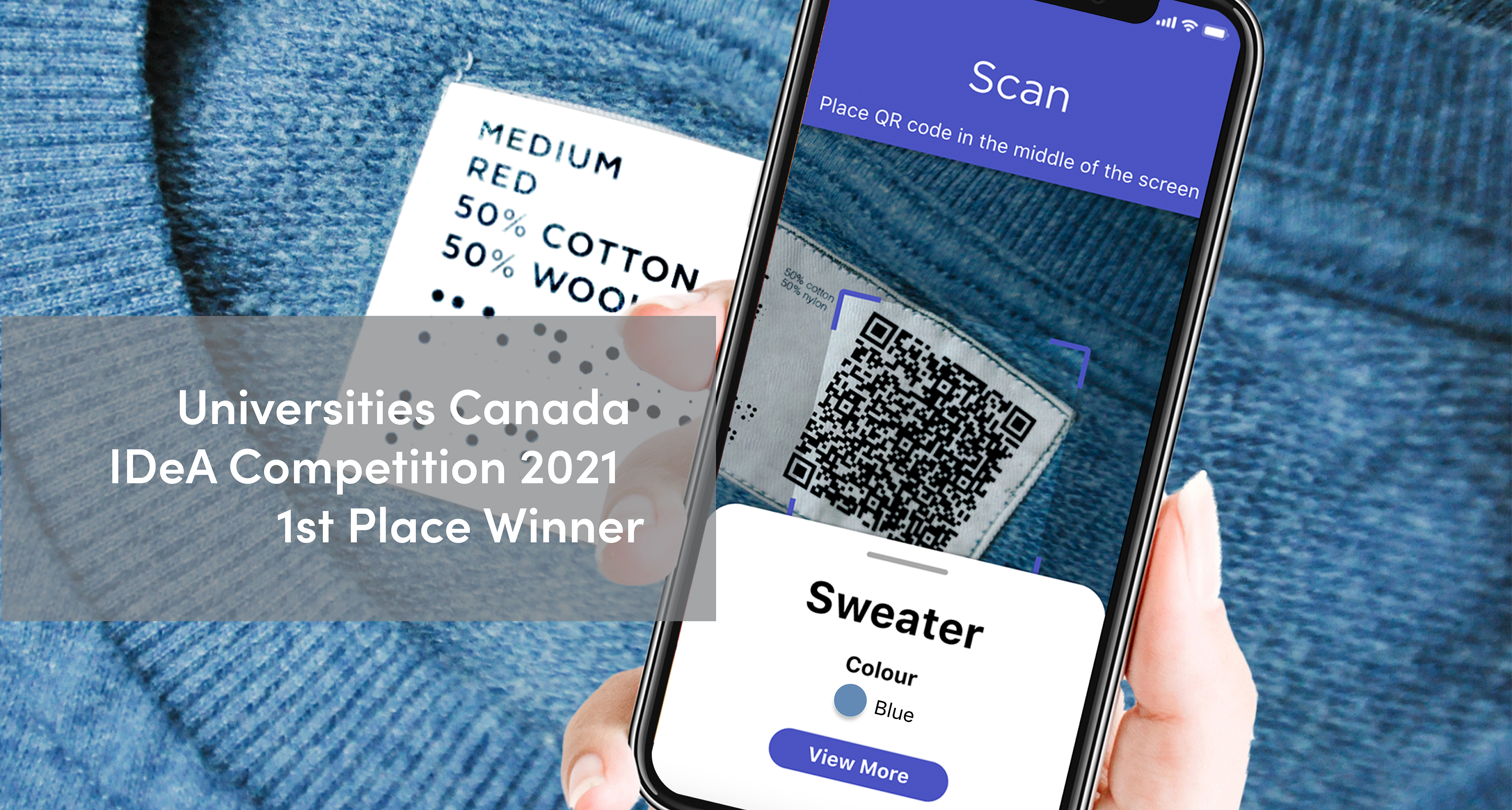
Closet was design by myself and fellow Carleton University Industrial Design graduate Mandy Hui. This project took first place in Universities Canada's Innovative Designs for Accessibility (IDeA) 2021 competition in the attitudinal/systemic barriers category. While this project began as part of our 3rd year studio design course, we took the initiative to continue developing the concept for the next year.
Throughout our research into the struggles faced by people with visual impairments (VI), we quickly realized how much we rely on visual cues to perform everyday tasks. Clothing management stood out as a problem faced by so many but rarely addressed in design. What we discovered was gap in accessible solutions that empowered people, with a wide range of VIs, to confidently manage their clothes independently.
Read more on Carleton's Newsroom: https://newsroom.carleton.ca/story/industrial-design-grads-win-top-prize/?utm_source=Homepage&utm_medium=Banner

Myself and my design partner Mandy Hui (right). Photo by Chris Roussakis.
The Problem
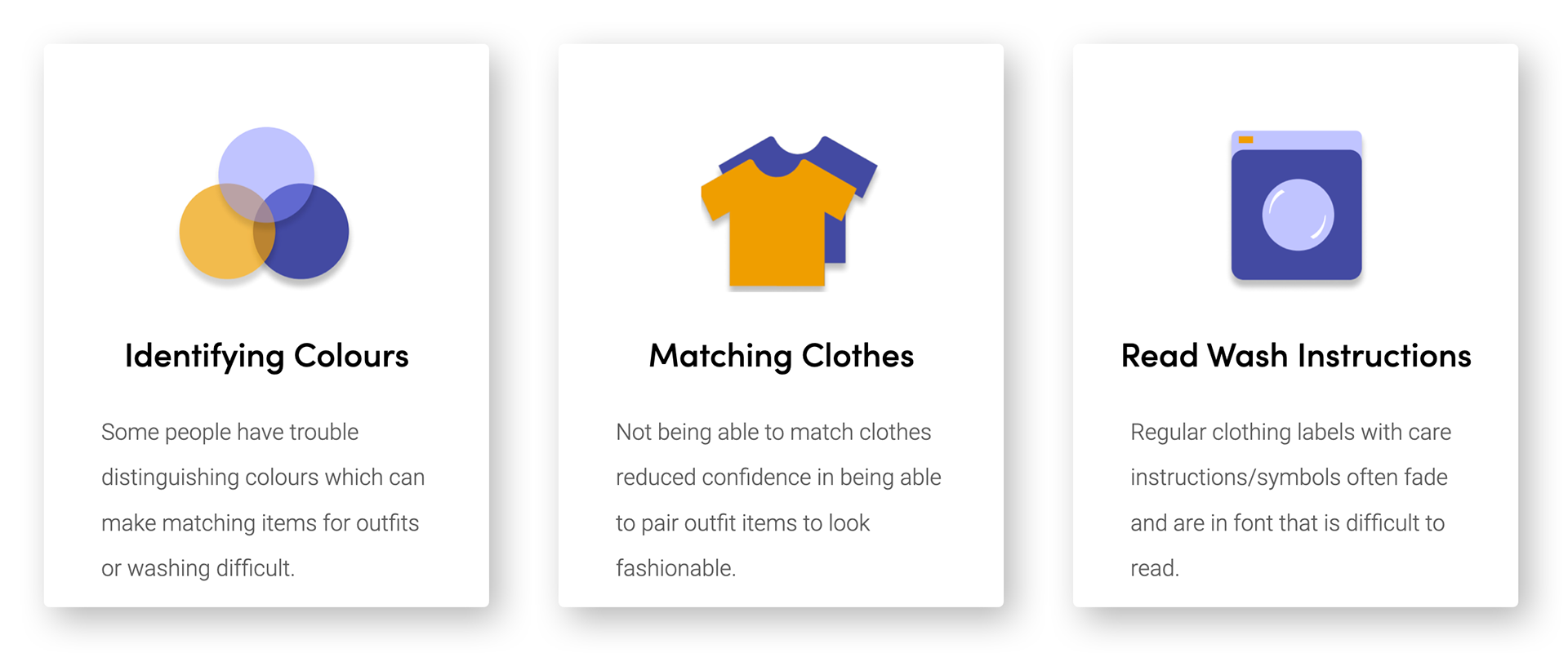
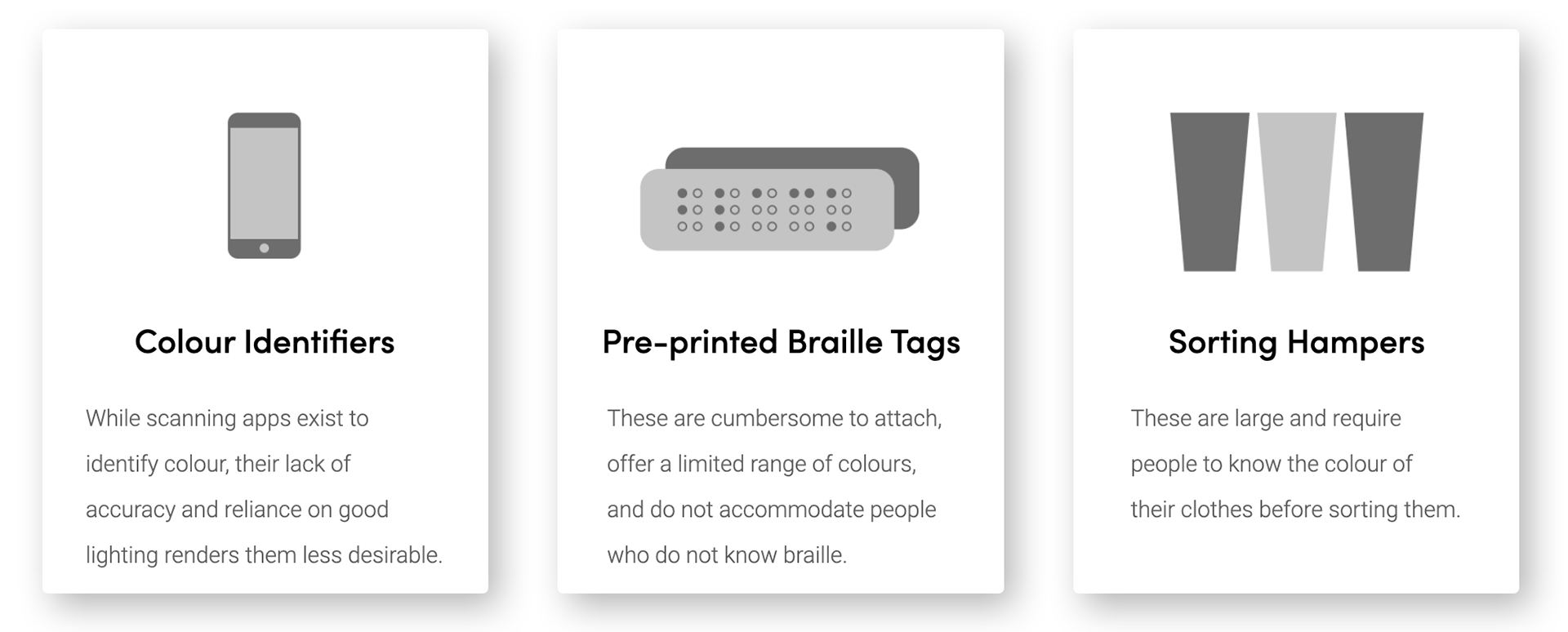
We began by doing secondary research and conducting our own online survey to the visual impaired community. We identified the following problems:
Existing Products
Upon doing our market research, we discovered that several products exist that attempted to address the problem. However, not many are adopted by people. Our continued research and feedback from first-hand experiences revealed that low uptake was due to problems in reliability, difficulty in using, and often didn't address all three problems above.
Areas of Opportunity
Assistive Technologies
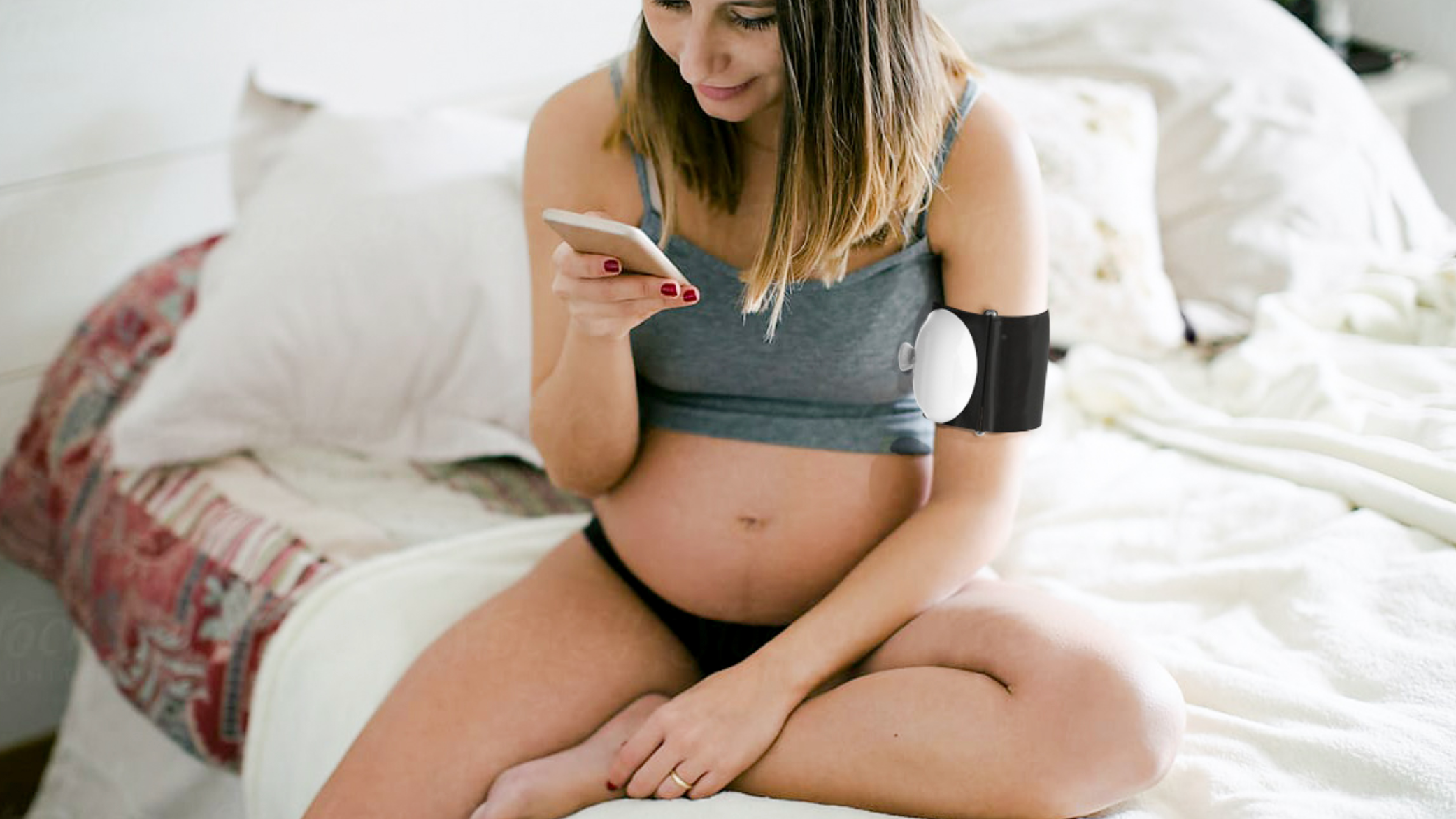
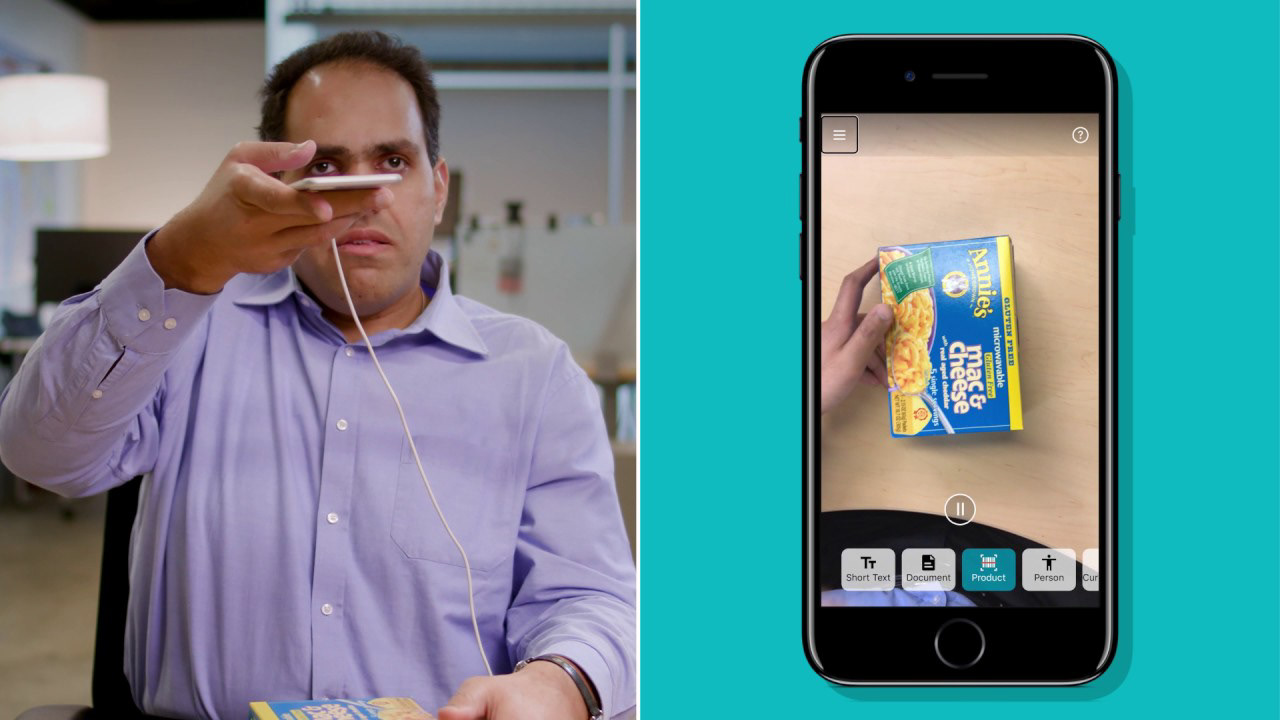
With a smartphone now in nearly every hand, assistive technologies have becomes easier than every to acquire from app stores. Instead of specialized devices with one sole function, people can simply download t softwares to use – often at no cost.
Source: YouTube Microsoft
System Perspective
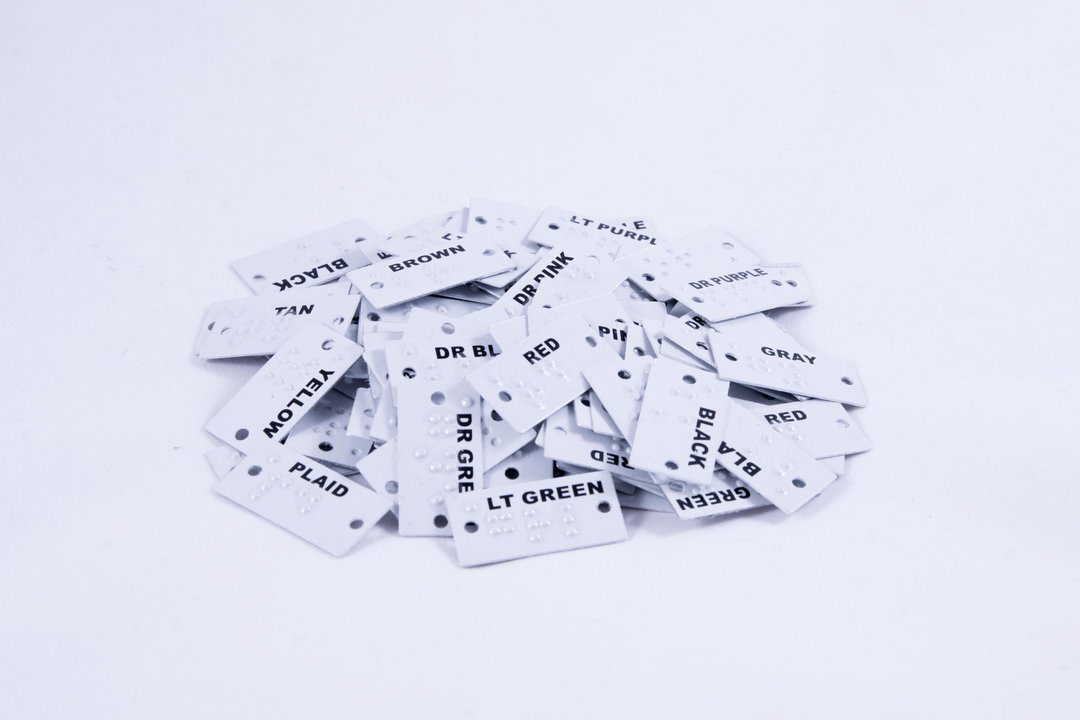
Current solutions are either physical products or digital. This narrow approach in their designs can limit them in their adaptability and their effectiveness for certain VIs. This creates an opportunity to design a system of products – both physical and digital.
Source: Adaptation.org
Shifting Responsibility
For a person with a VI to navigate the world, it is up to them to find products or develop their own techniques to do so. This puts the responsibility of accessibility on the person with the disability. Rather, accessibility should be considered early in the design and manufacturing processes so the responsibility is better distributed.
Source: Nguyen Dang Hoang Nhu on Unsplash
Ideation
Our initial ideation focused on physical solutions such as custom braille tags that people could make at home. However as we identified our areas of opportunity, we realized that our concepts still placed much of the responsibility on the consumer.
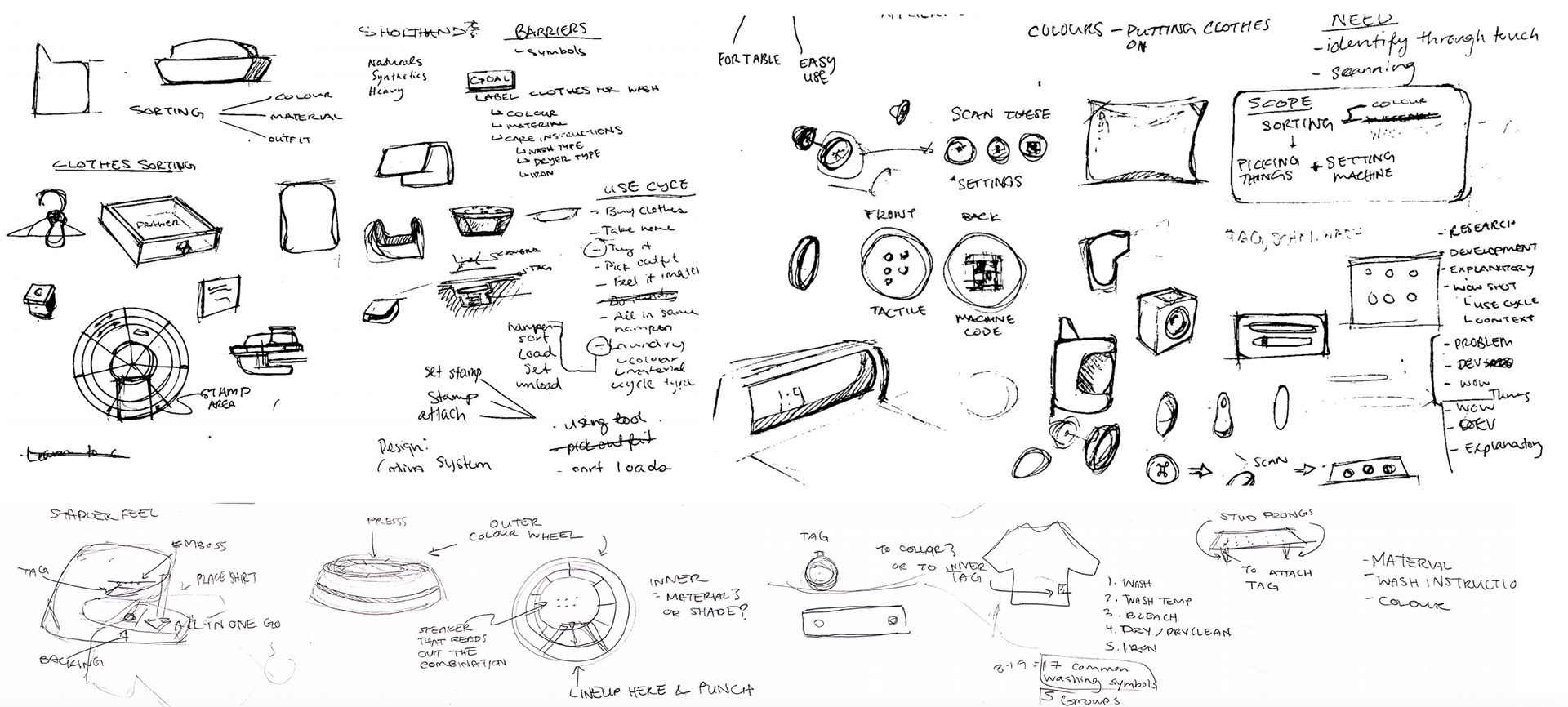
Early ideation sketches
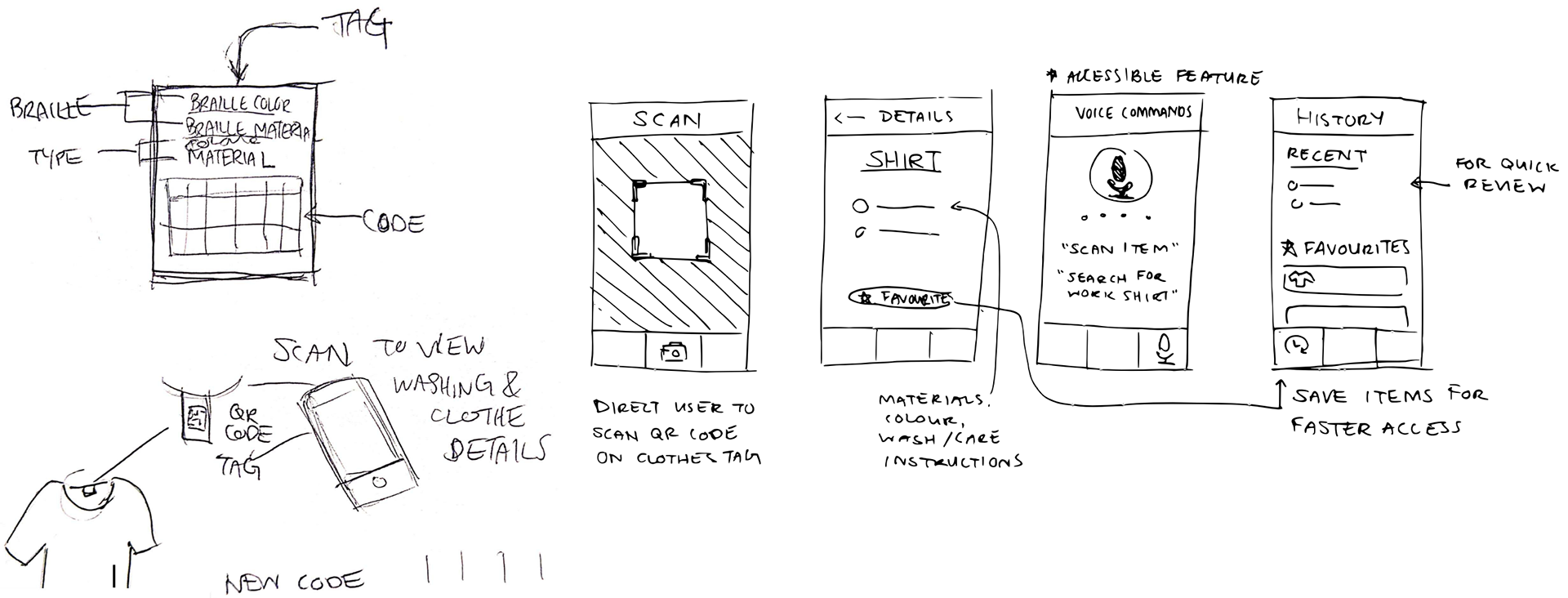
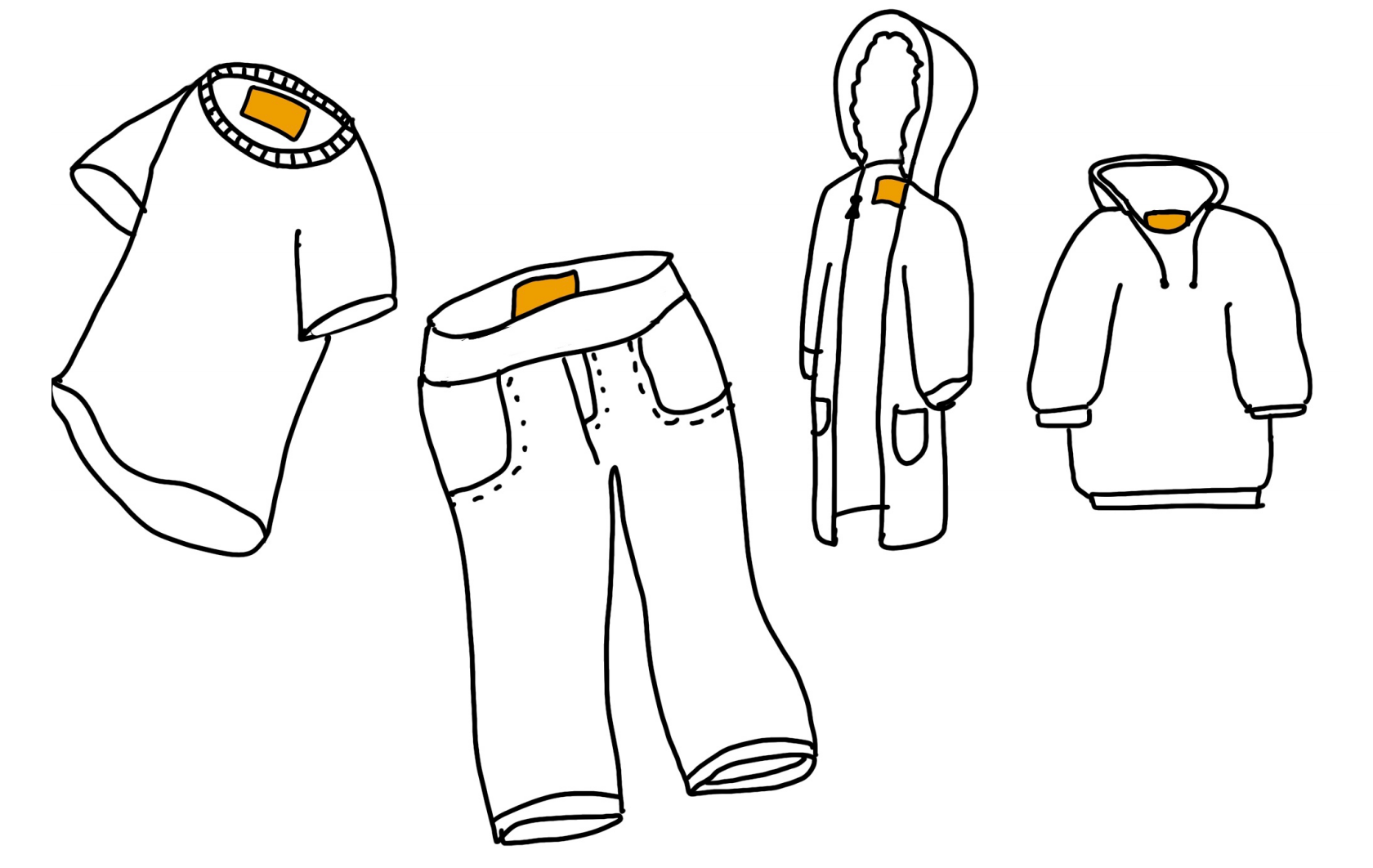
Instead of designing an additional tag that buyers would make themselves, we decided to redesign the existing clothing tags. The renewed tags would include abbreviated words in braille and a QR code for digital compatibility. This way, accessibility could be implemented during the design or production stages and improve the accessibility experience from the purchase point for consumers.
The Concept
Label & App System
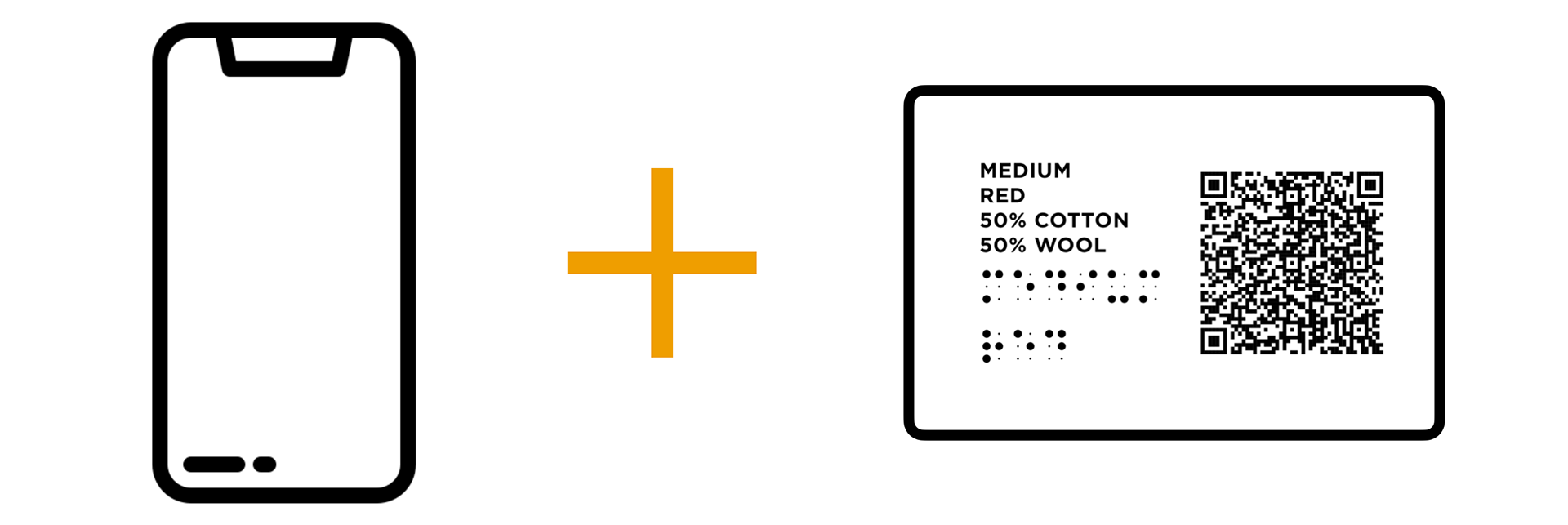
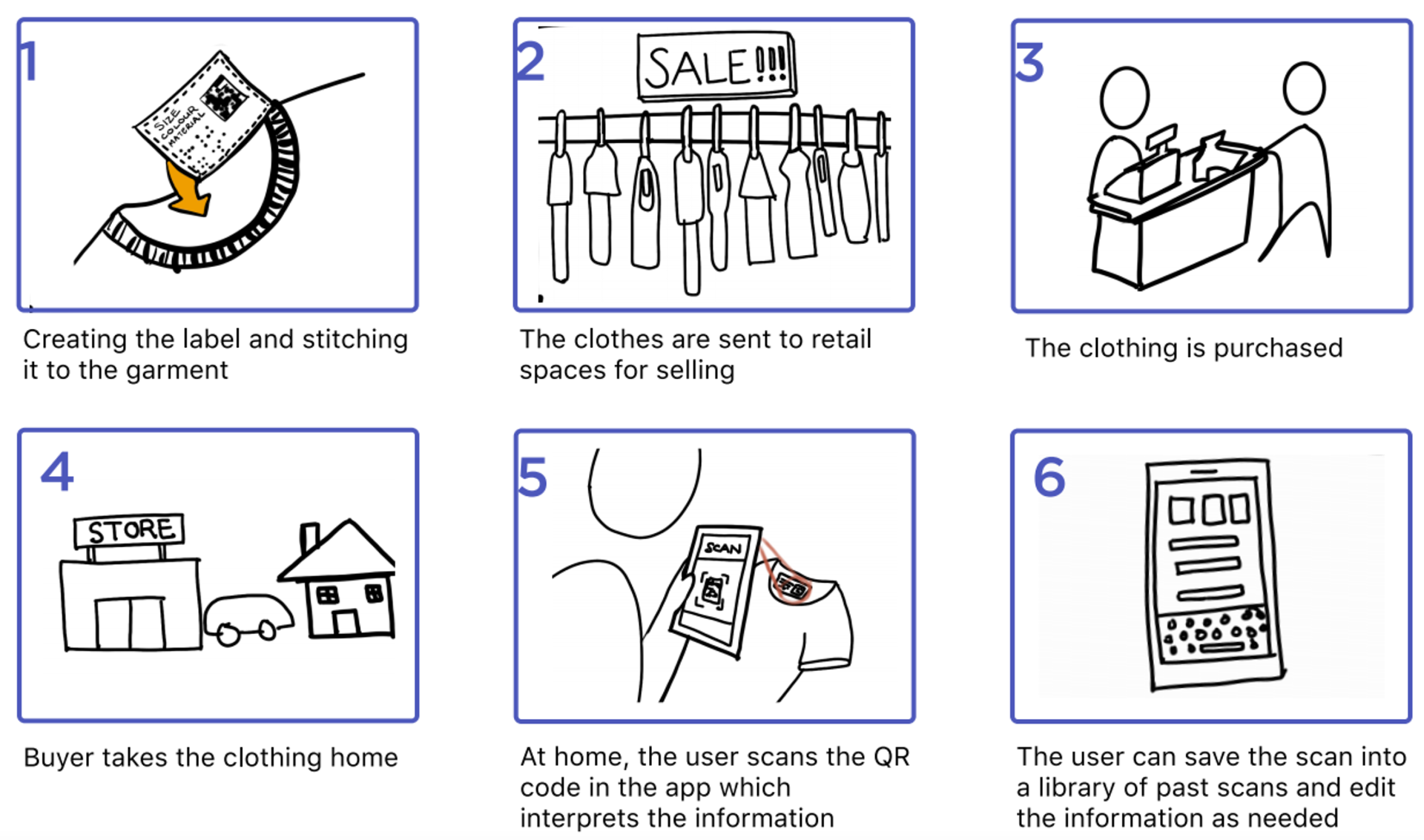
The Closet concept is a two-part system with an improved clothing label and compatible app. The label's information would be embroidered during the garment's manufacturing process. In addition to braille, integrating a QR code onto the tags would allow for the development of a digital system where people could use their phone to access their clothing information reliably at home.
How It Works
Prototyping and Development
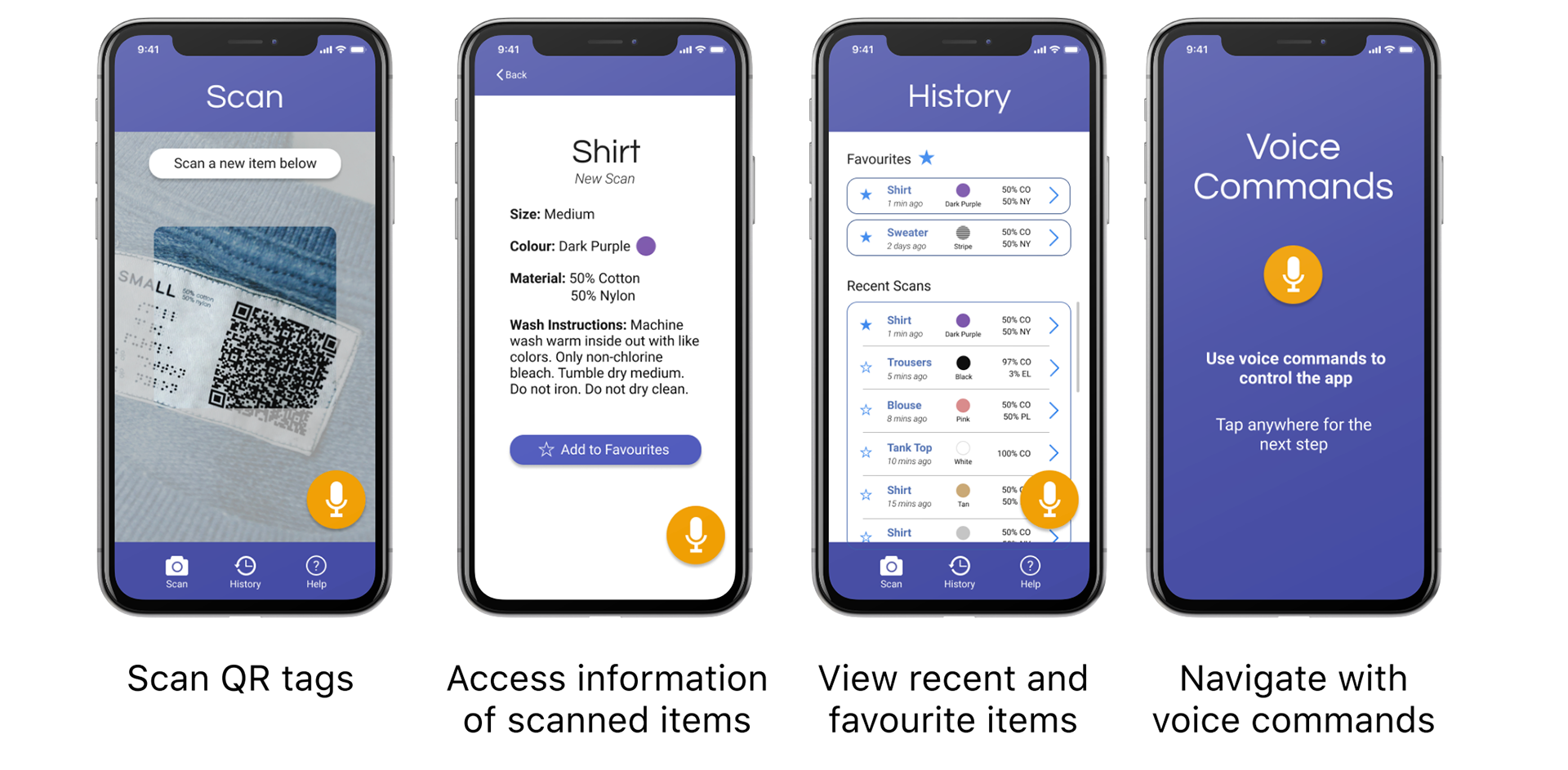
After selecting a concept to move forward with, we created our first prototype of the mobile app. Our designs of the app allowed users to scan the coded clothes tags, view recent scans, favourite select items for later, and adjust accessibility display controls. We also included a voice command feature so people could speak common commands to perform app functions (i.e. "save this item").
Testing & Co-Designing
Using our UI design, we created an online survey. This was helpful in identifying several accessibility issues, such as text hierarchy, which would affect how the information would appear or be read aloud by text-to-speech outputs.
Additionally, we collaborated with the Canadian Council of the Blind (CCB) to gain more valuable insight from our target user group. Our online Zoom co-creation session involved four participants with varying abilities acquired at different points in their lives. During this session, we discussed the app's design, its features, uses, and the label design.
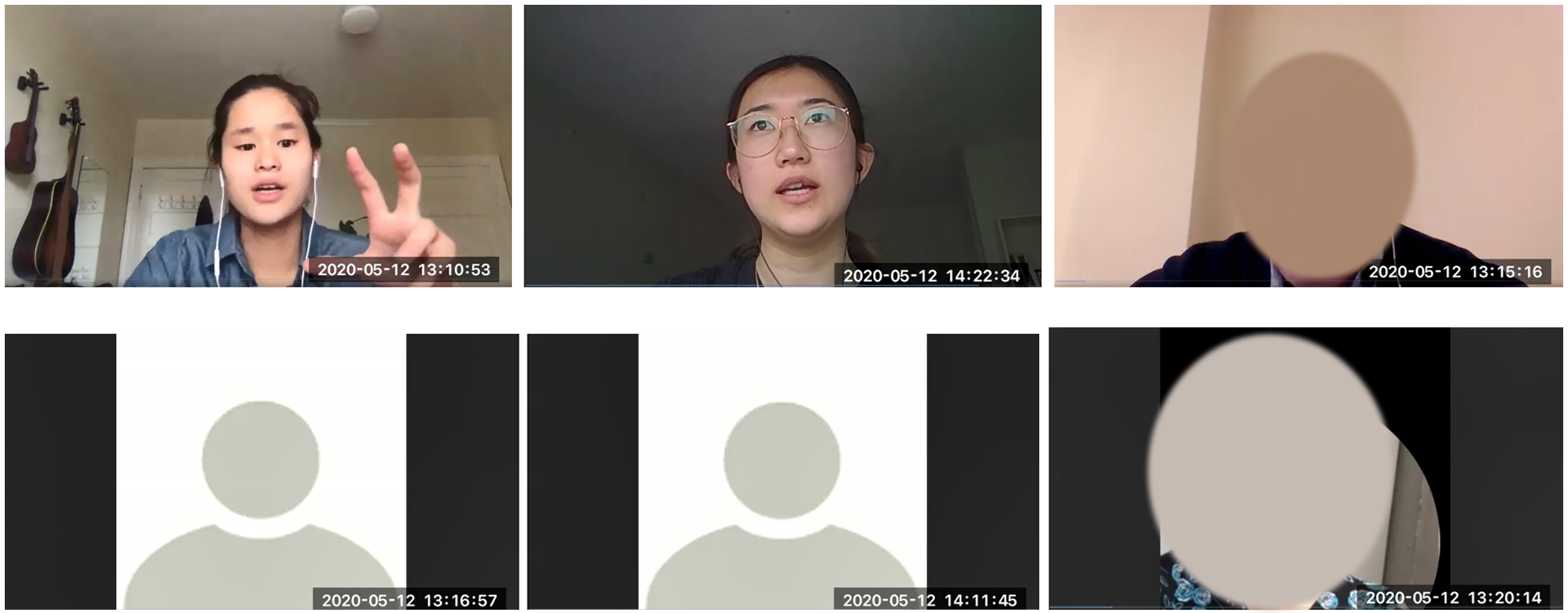
CCB Co-Design Session
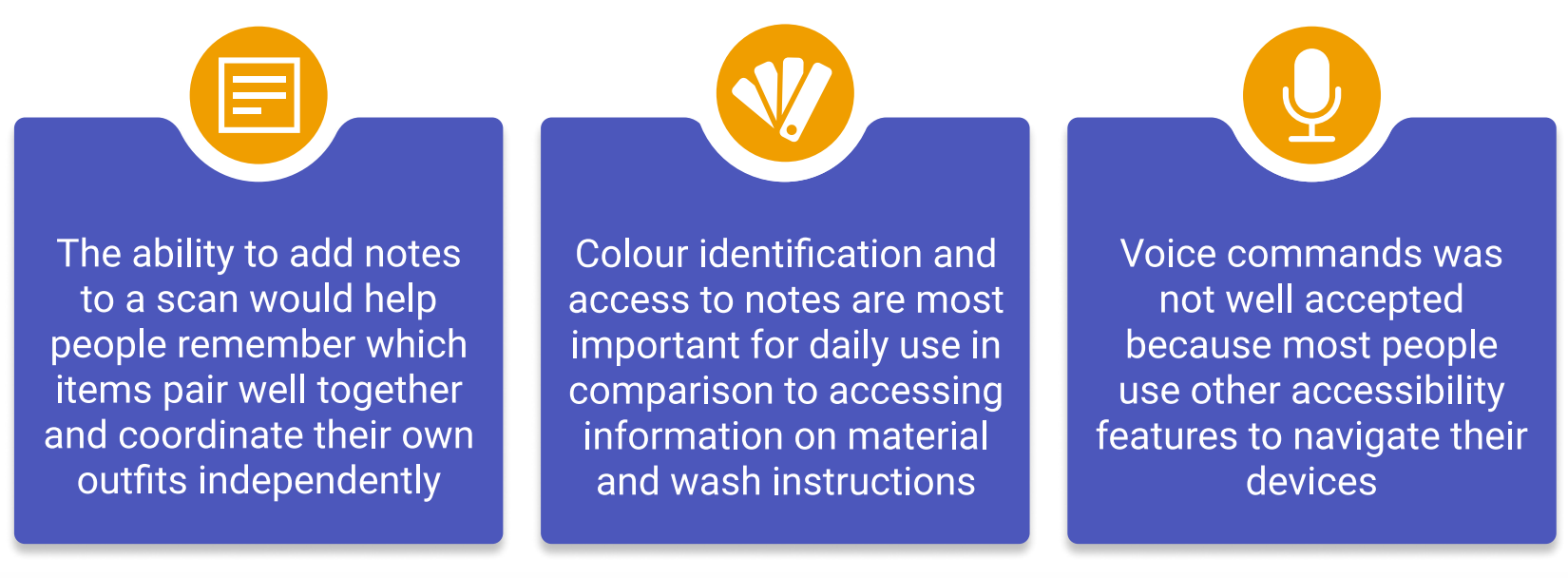
Mobile App Findings
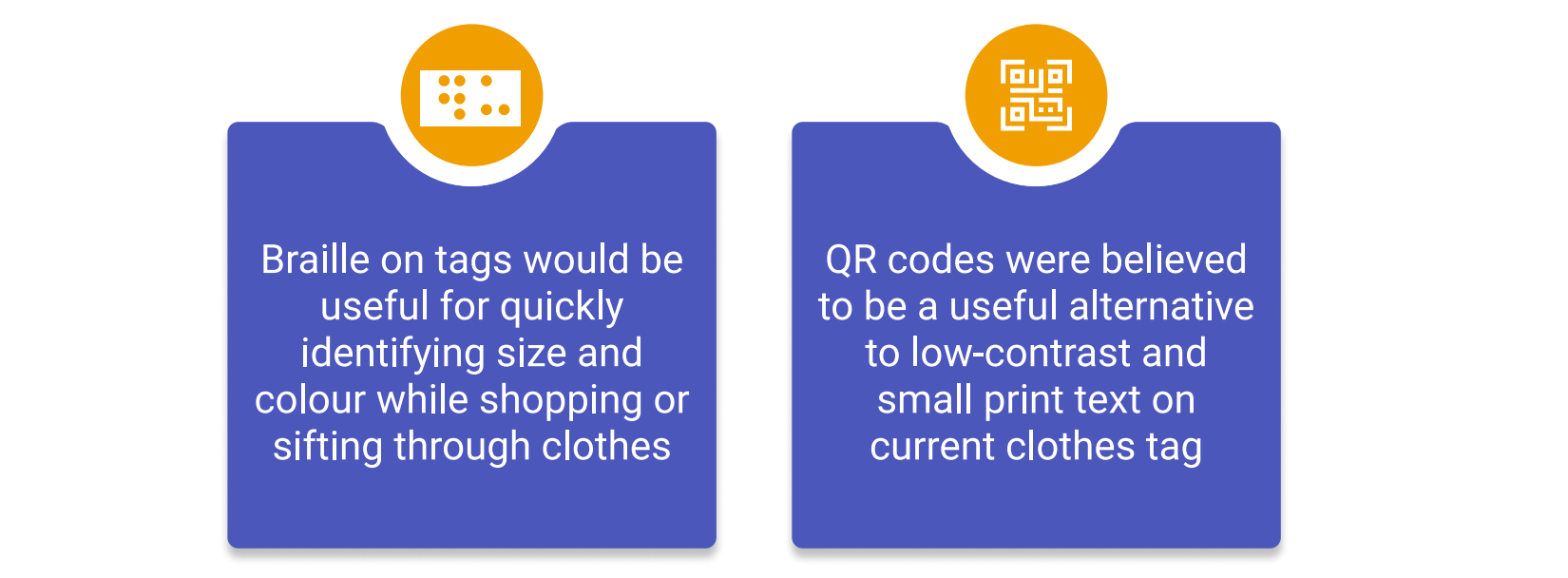
Label Design Findings
Re Designing the App
After synthesizing the results of our co-creation session with the CCB, we began working on a renewed prototype. We began by mapping out the basic information architecture of the app and working collaboratively to bring it to life incorporating our chosen brand identity.
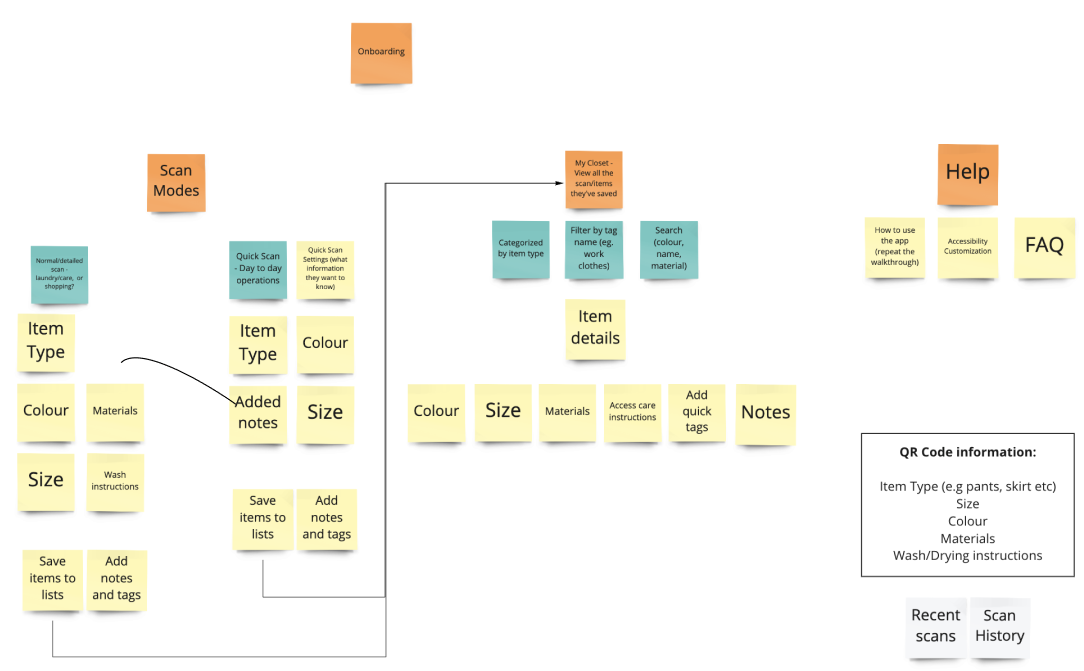
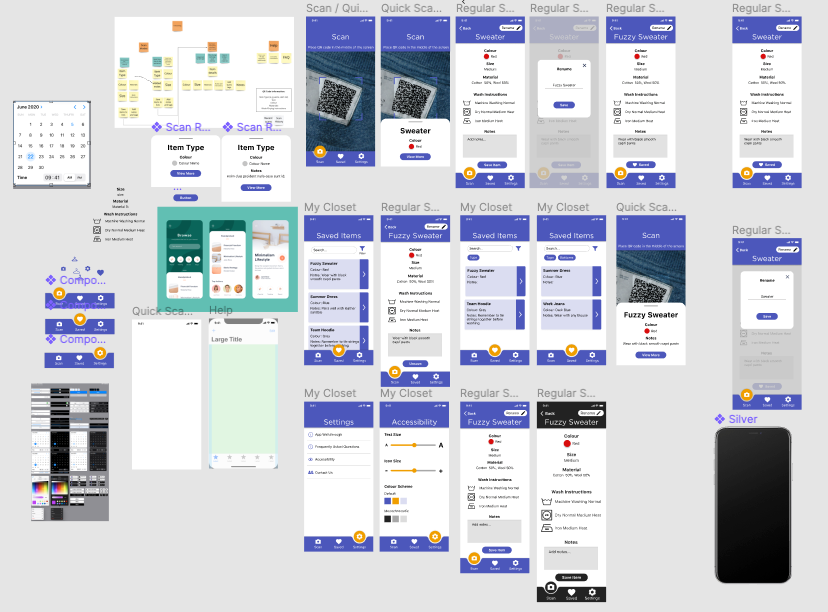
Figma Workspace
Closet
Closet is a clothes labelling system that helps people with and without visual impairments manage their wardrobe. The design integrates a new type of clothing tag with text, braille, and a QR code. This label works alongside a mobile app to read, save, and customize the garment's information to match your needs.
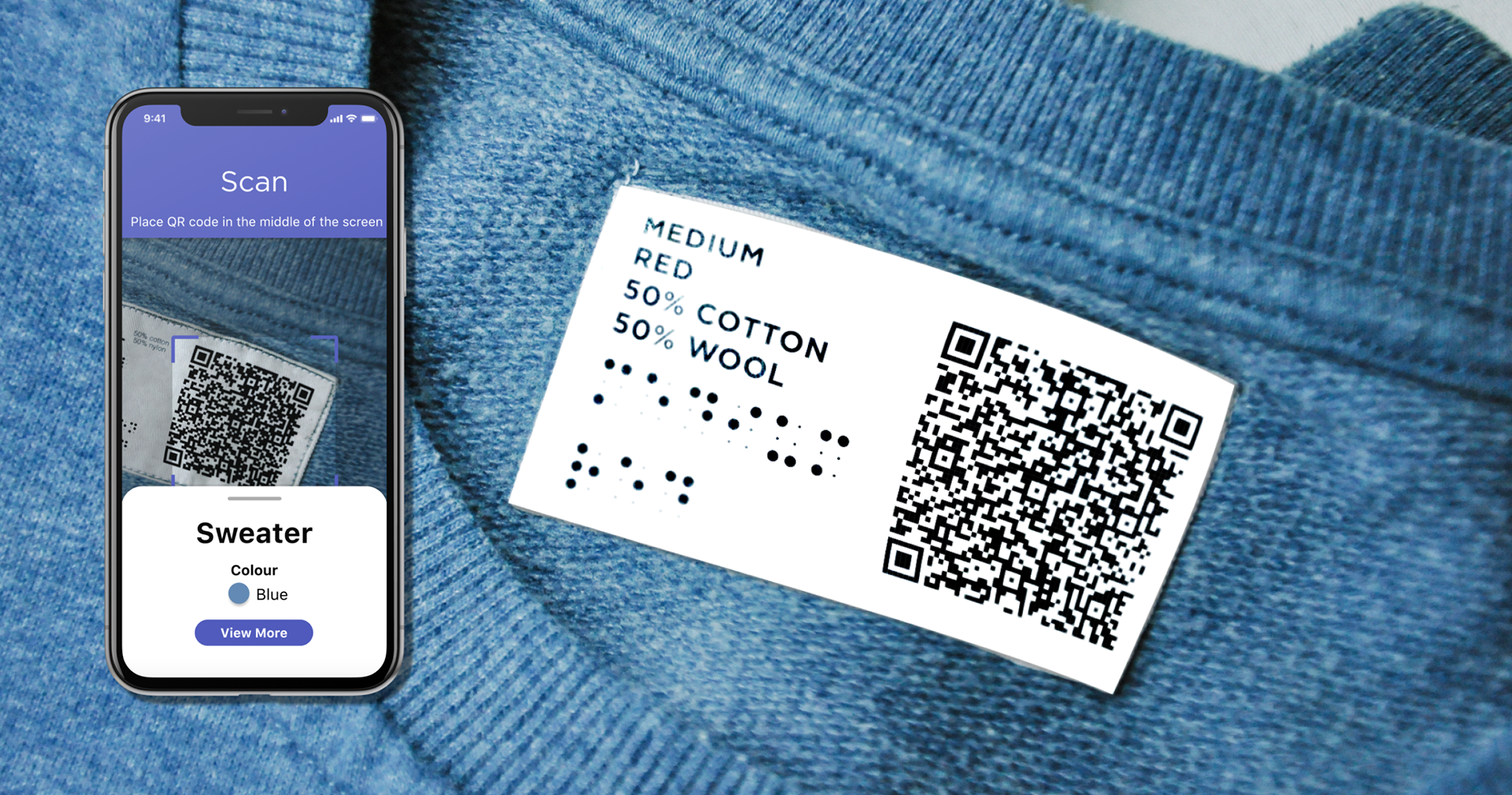
The Label
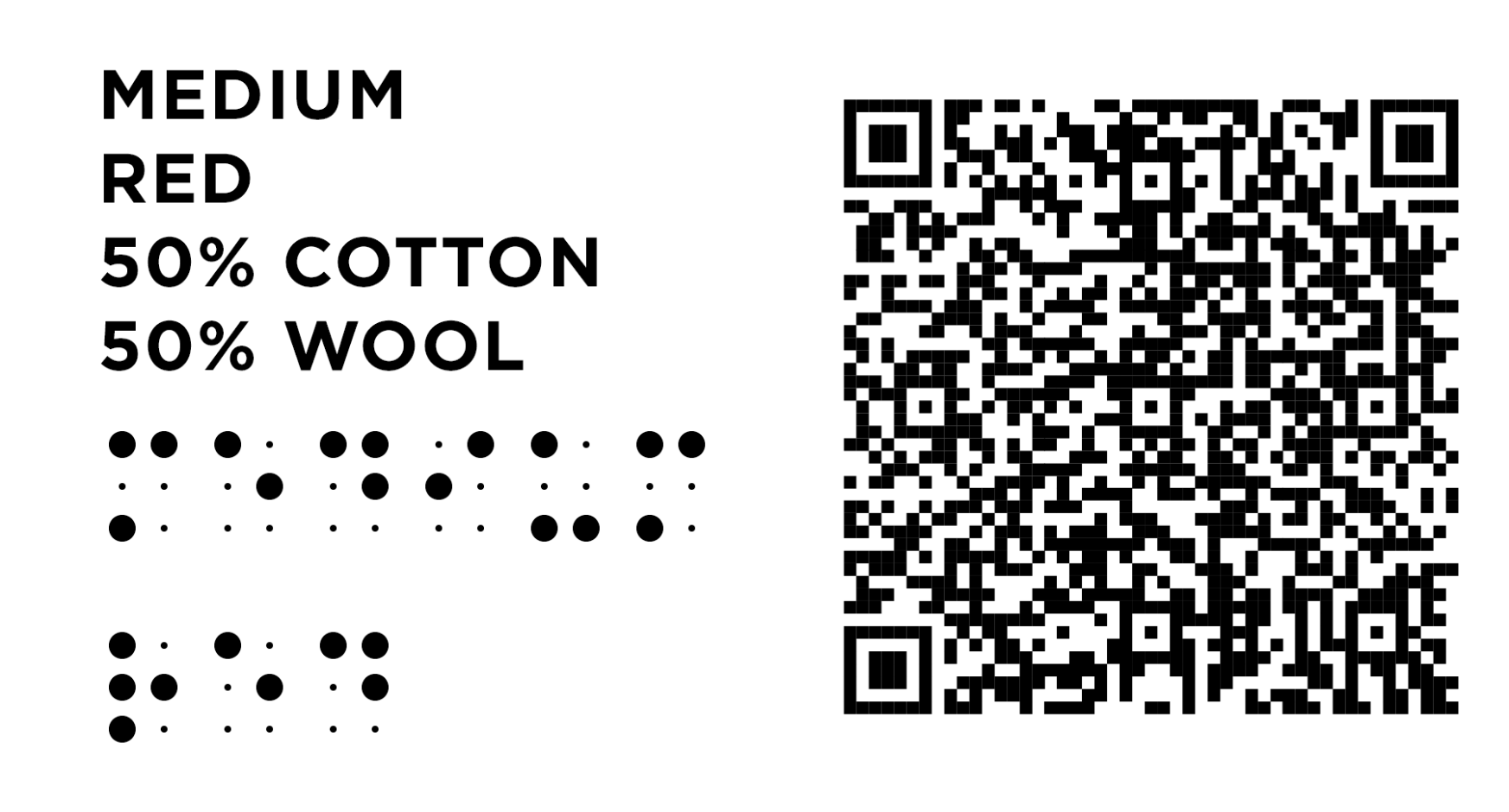
The label provides a reliable method to communicate information about colour, size, material, and care instructions to people with visual impairments. The braille and QR code are made through by embroidering with high contrast and heavy duty thread. Embroidery is more tactically accessible and fade-resistant. With the goal of creating a universal standardized system, these tags would be attached during the making of the clothes.
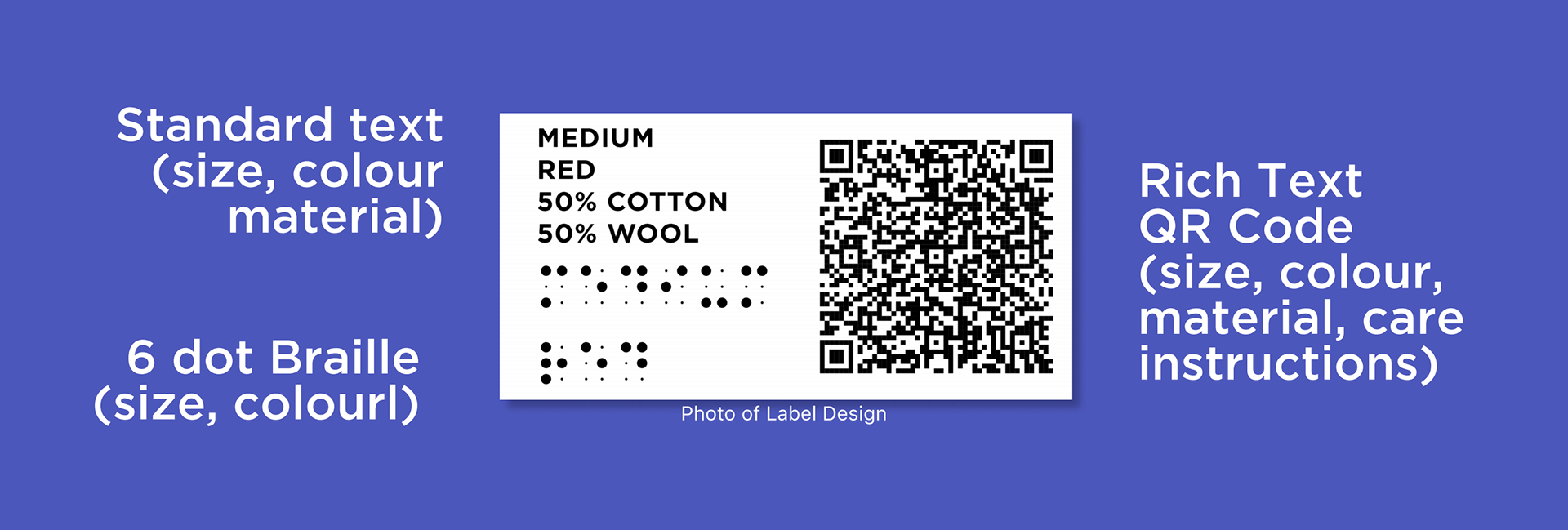
Text
Allows people with some vision to quickly read information; includes size, colour, and materials
Braille
Embroidered in abbreviations to save space, allows people with little to no vision to quickly access the same information about colour and size
QR Code
QR code is encoded with raw text that can be read by any native camera app or by the Closet app for extended features, QR codes are generated with readily-available software that converts normal text into the code
Location
The placement of the label is an important consideration. It must be placed in locations where it is easily seen and felt upon immediate inspection. It must not be placed in hard-to-reach locations.
Scan Page
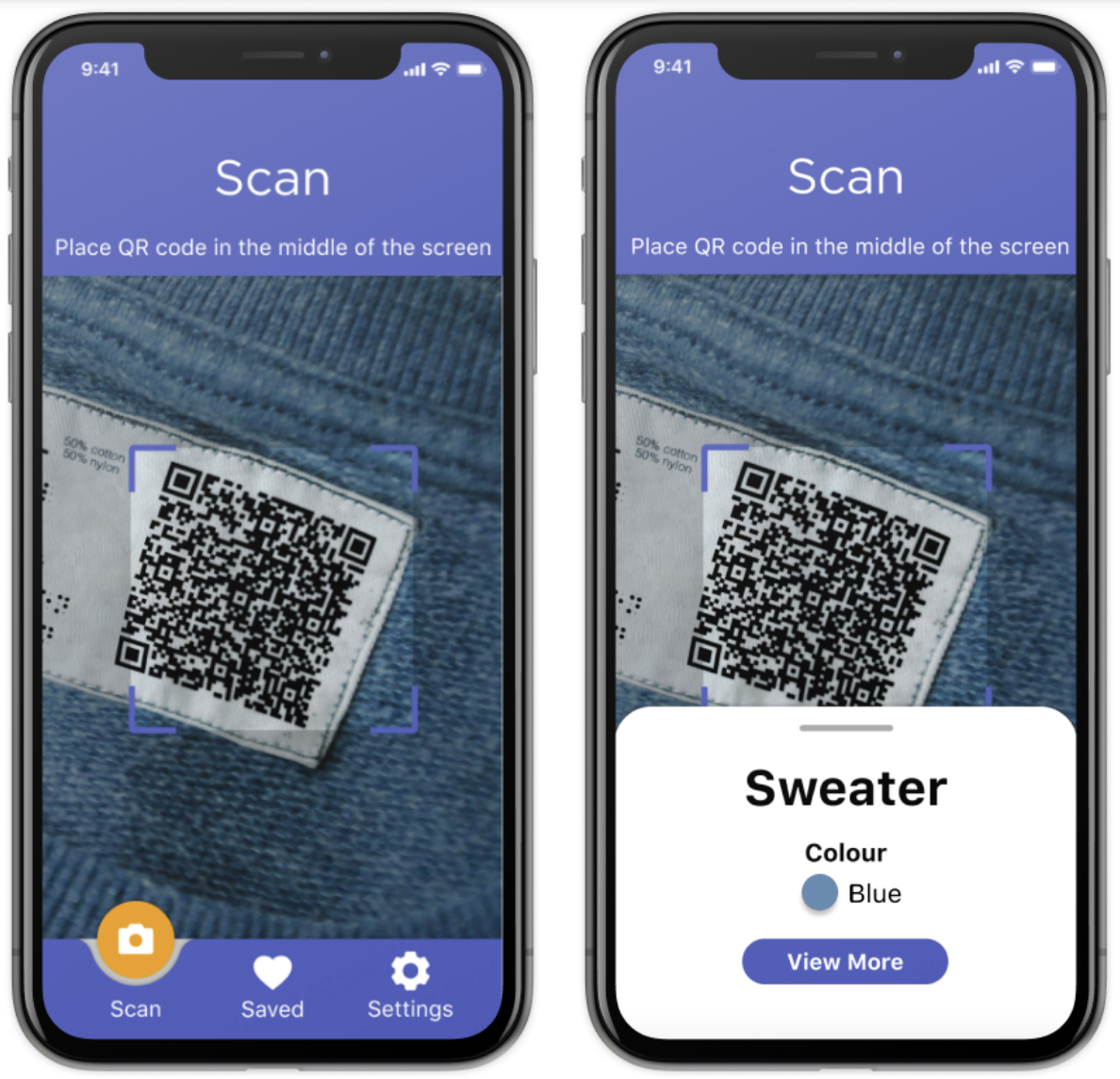
This is the starting home page of the app that is shown upon first opening the app. The user is directed to scan the garment's code. Once the camera focuses on the code, it freeze the camera screen to prevent the camera from changing focus a the result preview is shown.
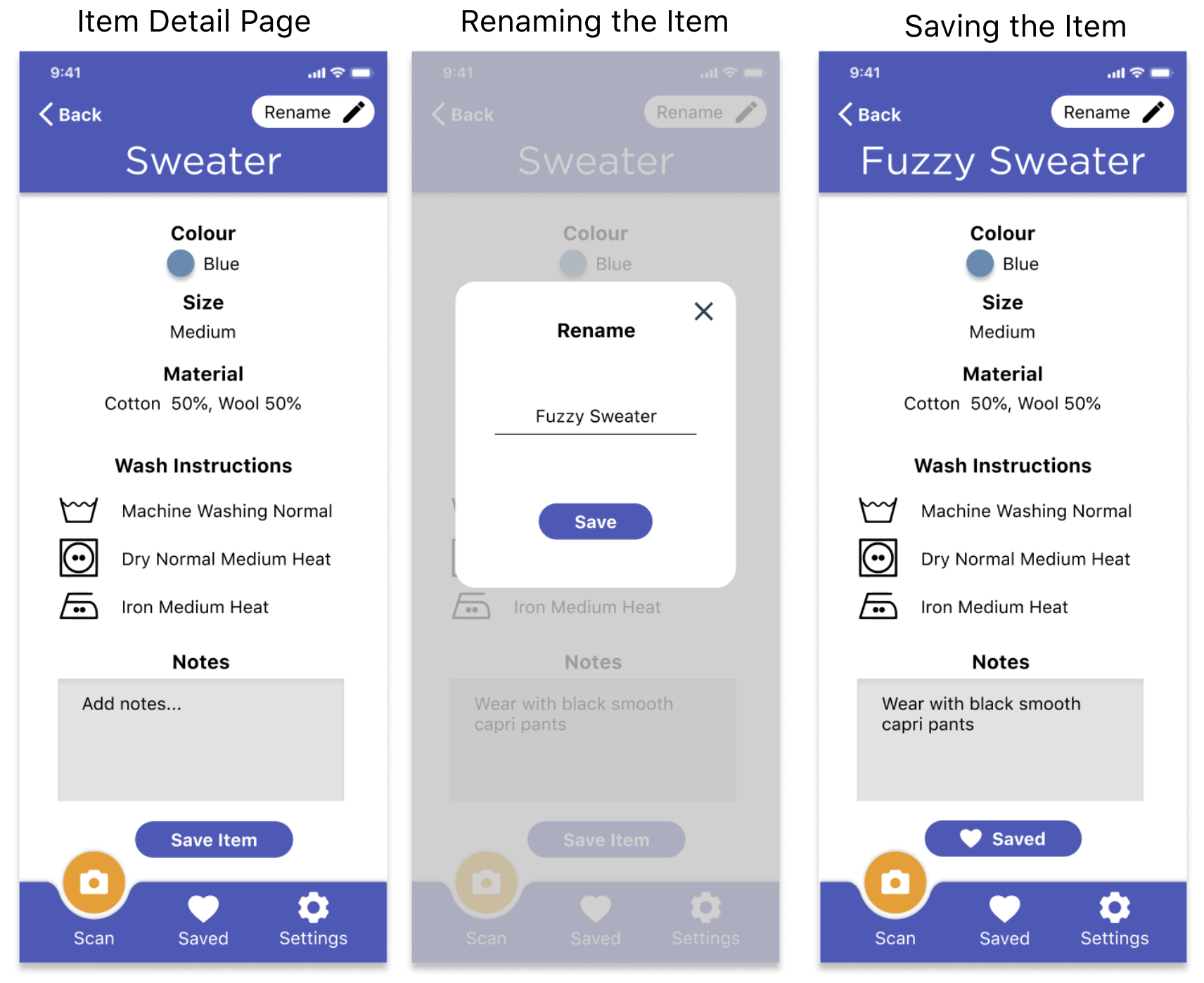
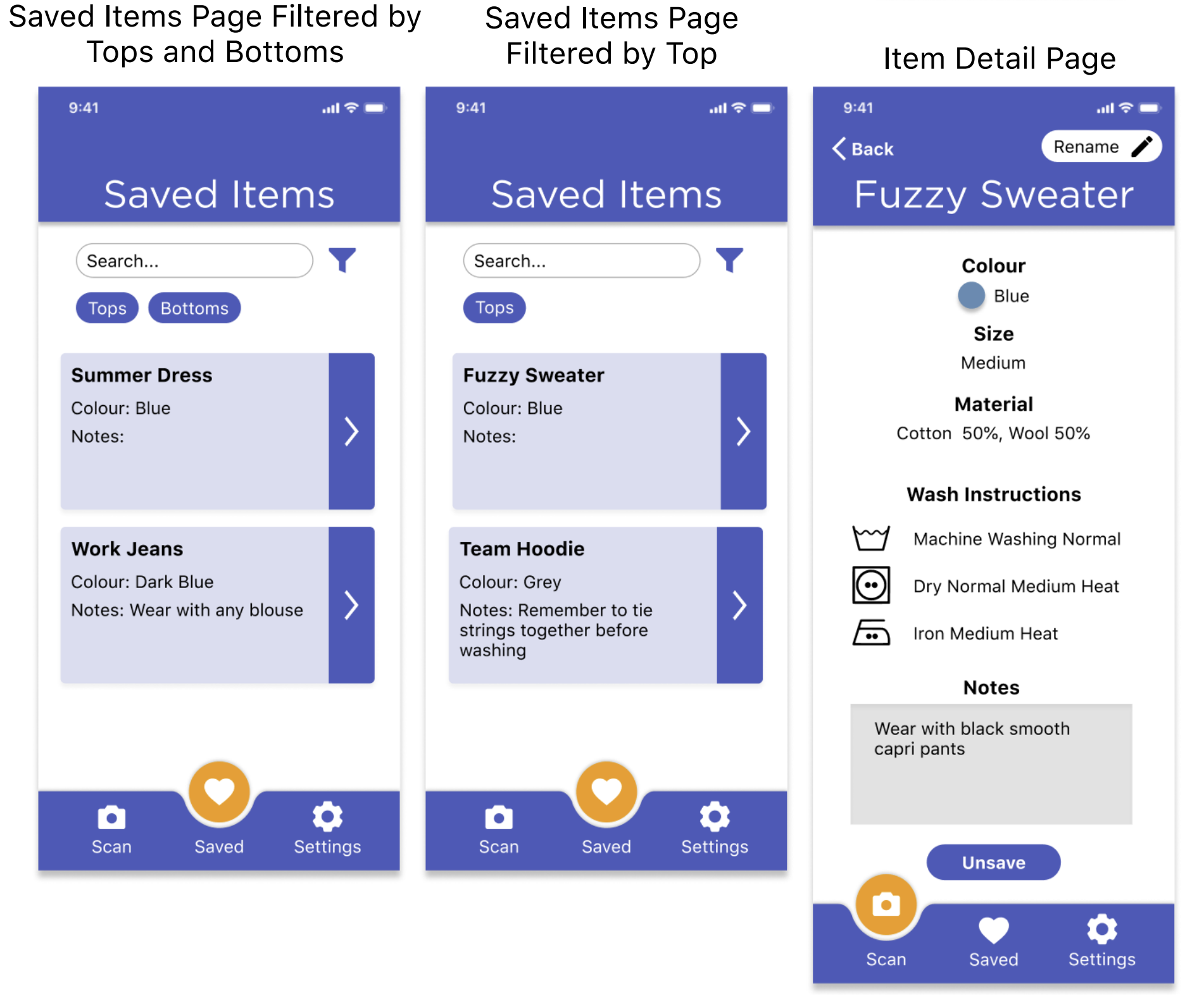
Expanding the preview will lead them to the item's detailed information page where they can customize the item's name and add personal notes to create outfits.
My Closet
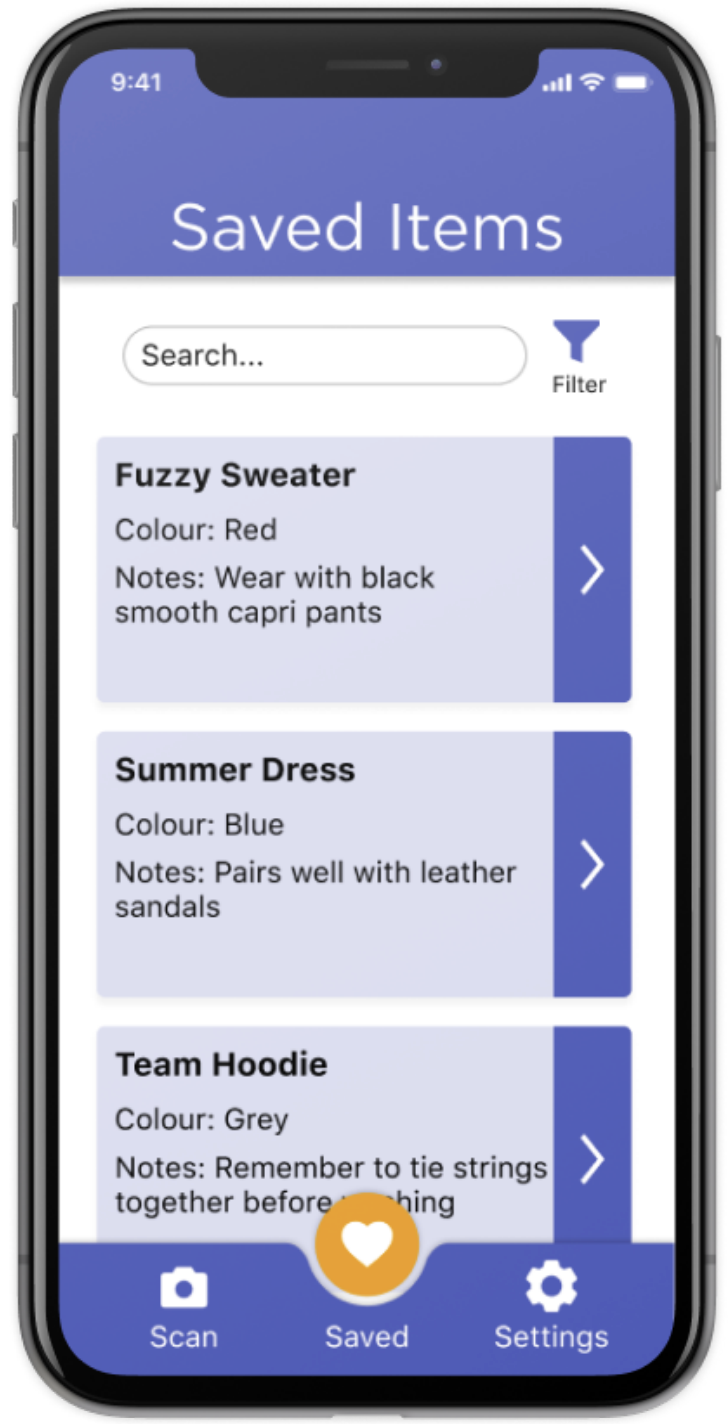
The Saved page is where users can view their saved items in their Closet. These are pieces that have been previous scanned and saved. To avoid having to scroll through endless lists of items, we've added search and filtering features. This helps narrow down the results quickly.
The listed items' previews with show the name, colour, and personal notes.
Accessibility Settings
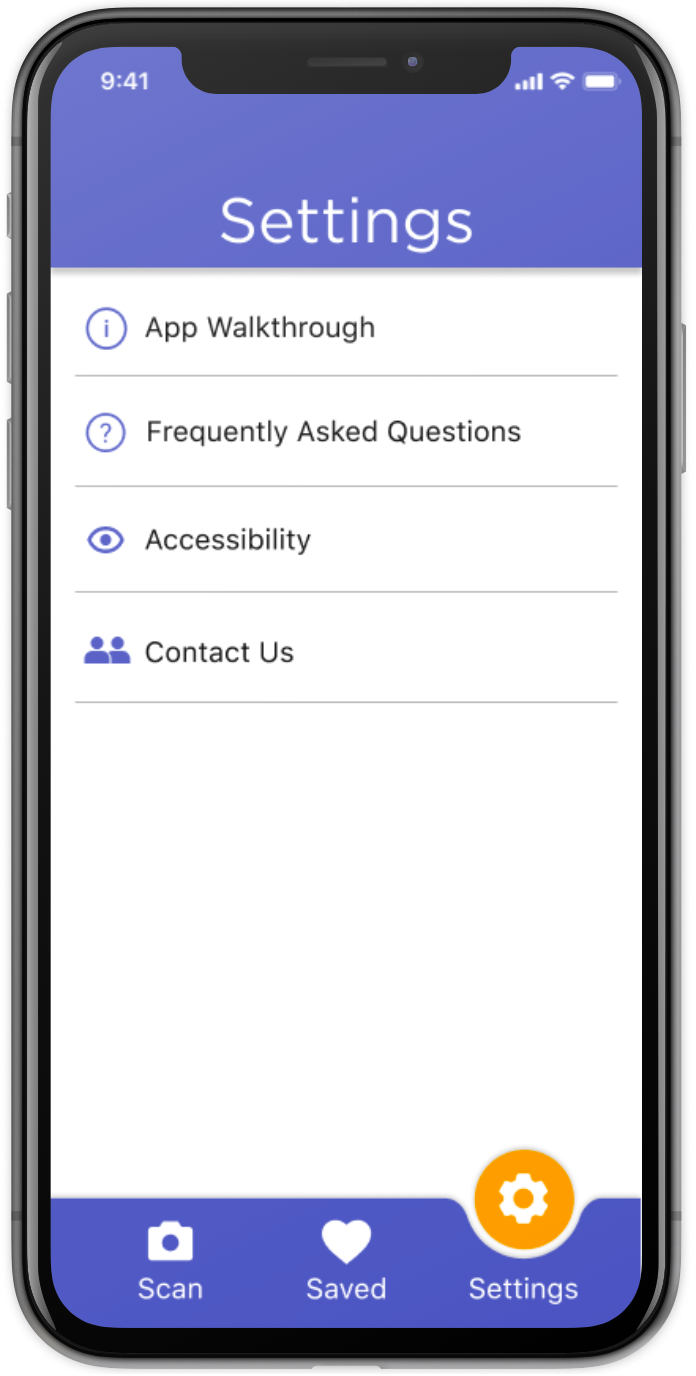
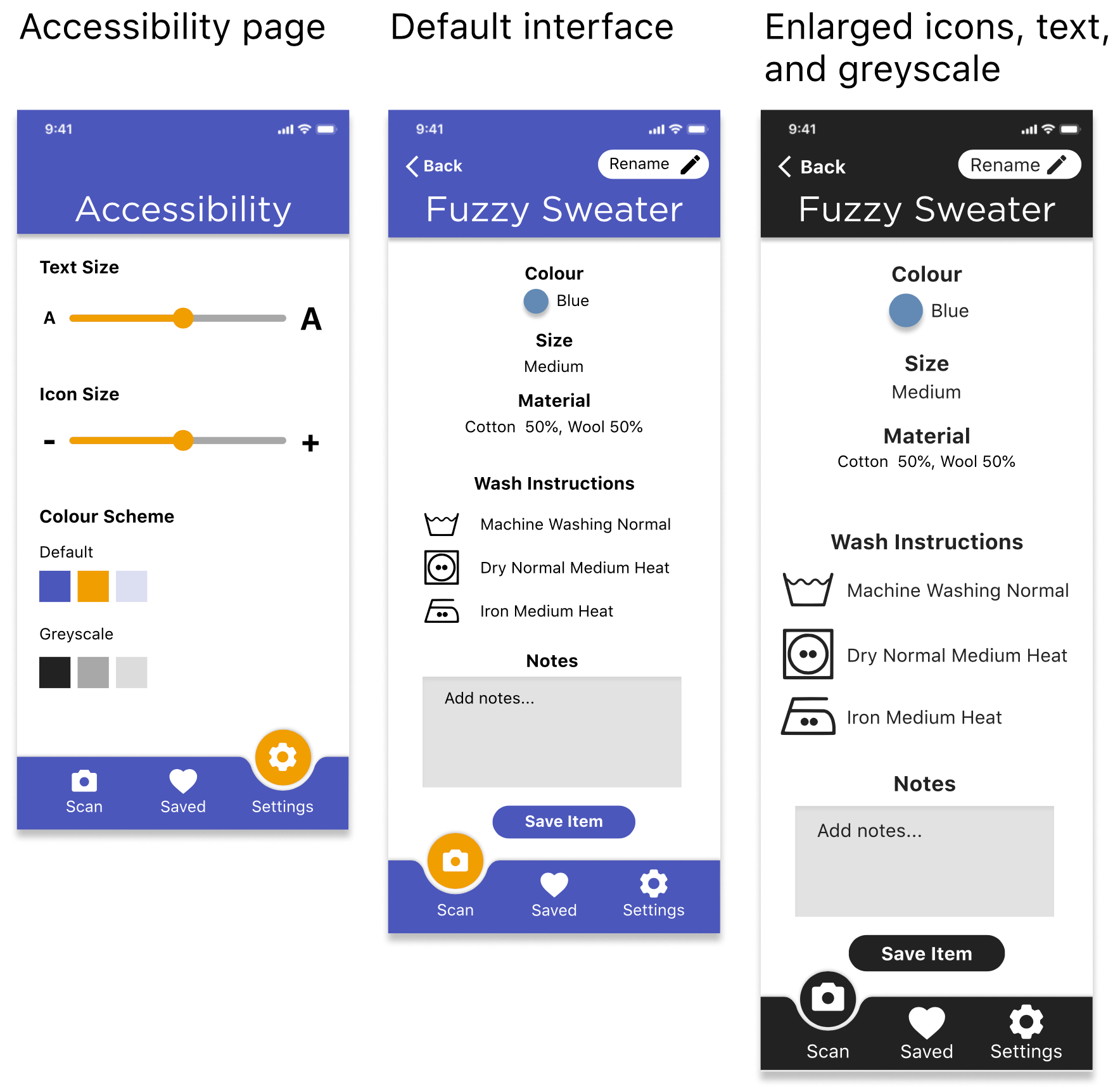
The Settings page of the app is where the user can learn how to use the app and customize the graphic style of the app. Icon & Text Size To make the text more legible in the app, we've integrated sliders that allow the user to make the font size and icon sizes bigger or smaller. Colour Schemes Although we choose a palette that is distinguishable for people with colour blindness, the ability to switch between our branded colour scheme and a greyscale colour scheme provides further accommodation for legibility.
Designed Accessibility
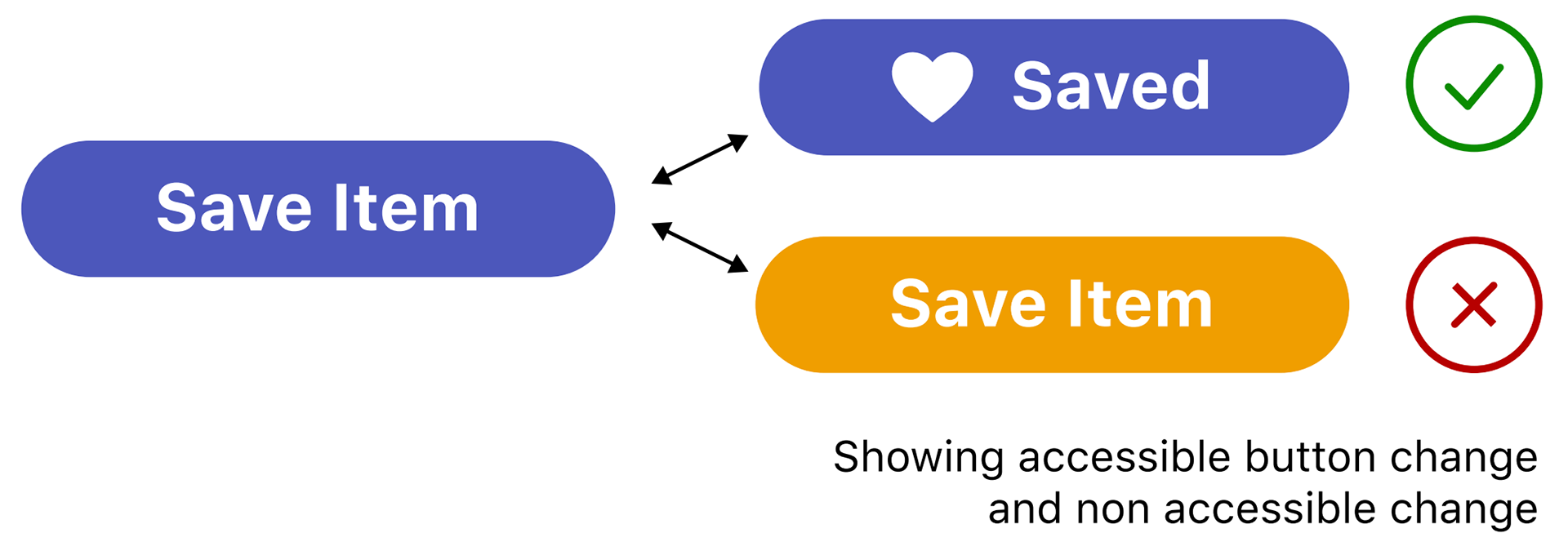
Using Shape and Size Instead of Colour
Since some people cannot see the full colour spectrum, our design relies on changing the shape or size of items to convey a change in status.
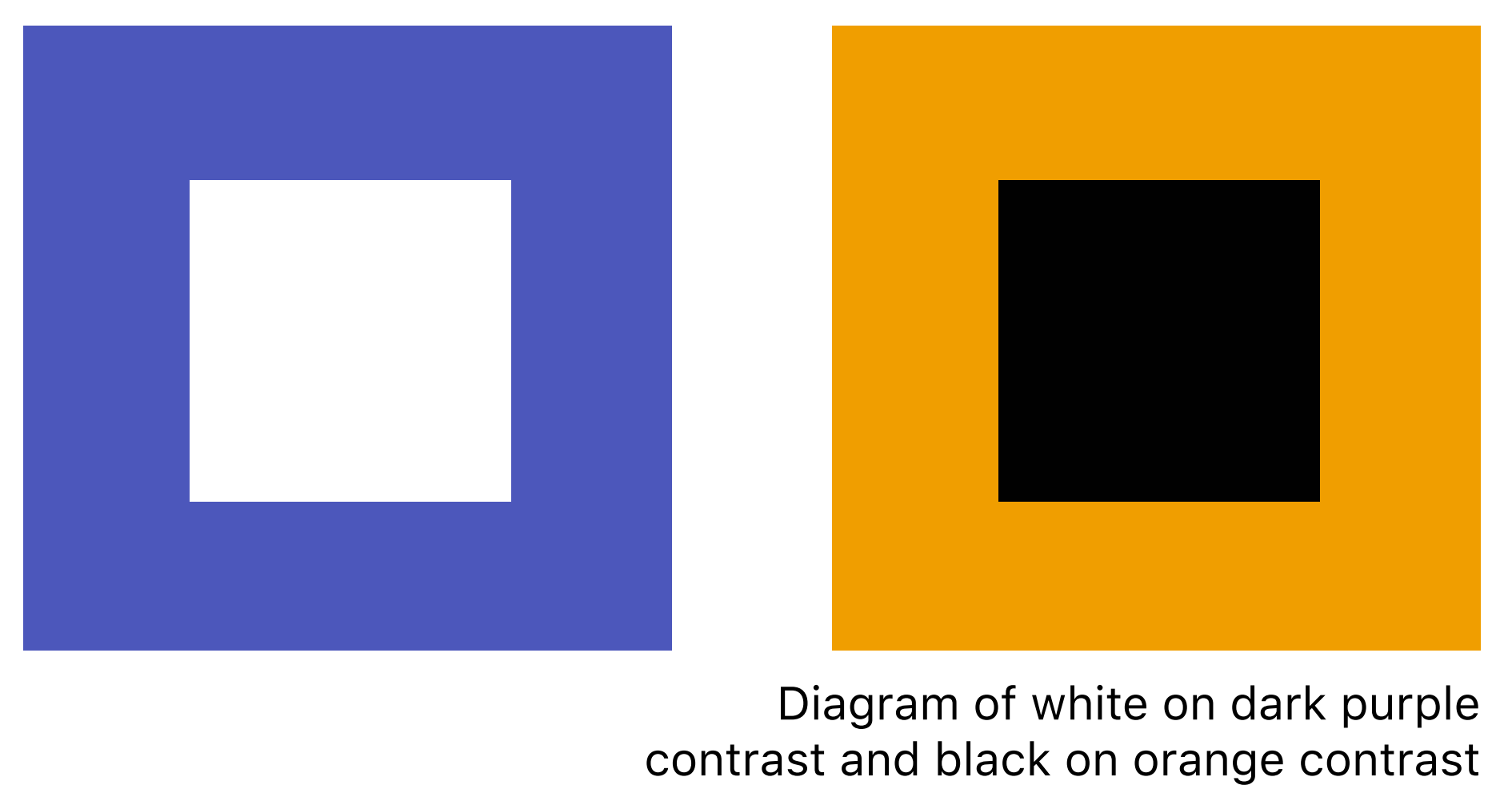
Colour Selection
Our branding colour were selected based on their high contrast against each other and black & white text. Differences in brightness and contrast differences in hue or saturation.
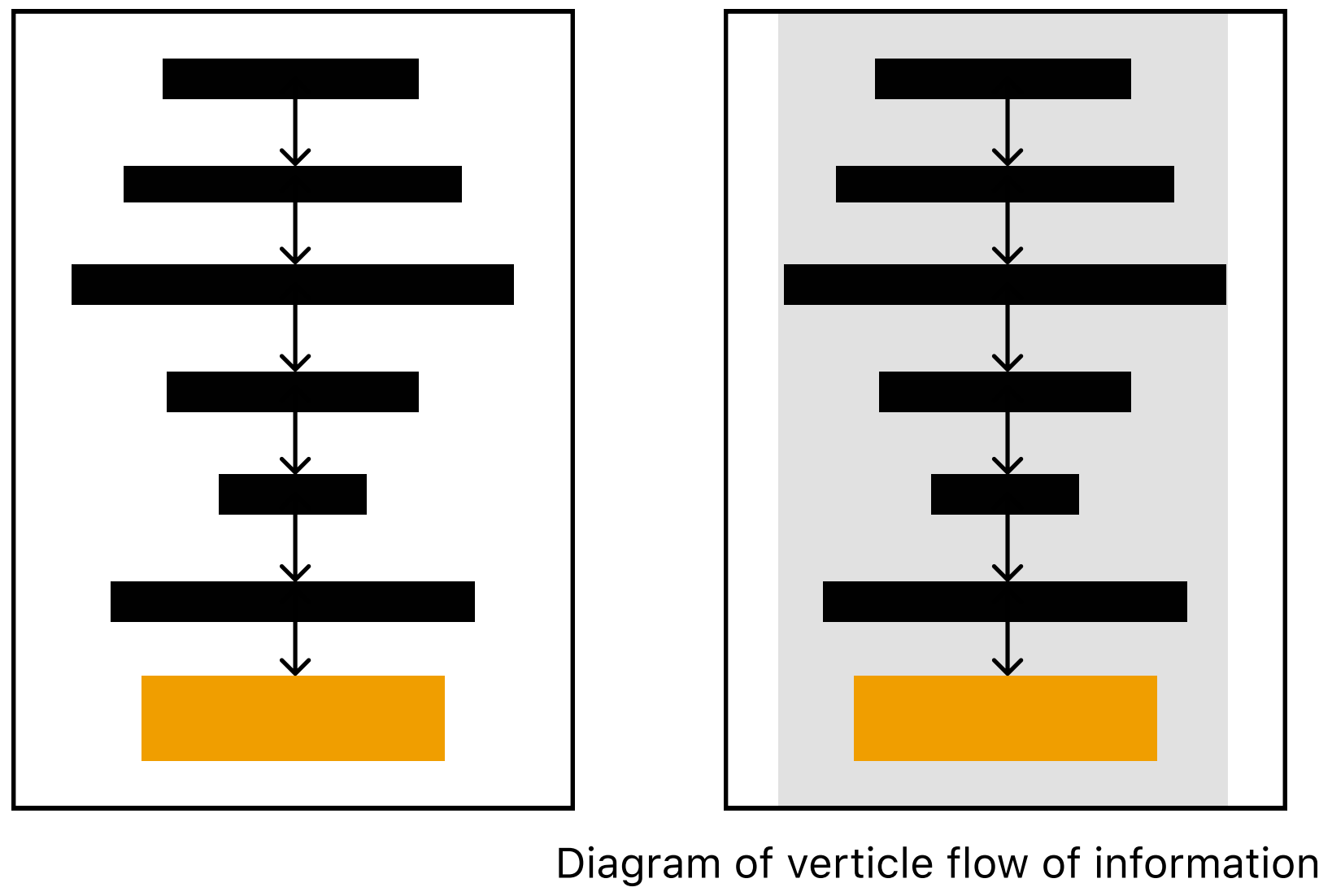
Vertical Layout
Text is laid out such that it is centered horizontally and is read top-to-bottom. For people with tunnel vision, this is easier to follow the flow of information since eyes only need to move in up and down rather than side to side as well.
Avoiding Visual Based Terms
Colour are sometimes given names that refer to visual cues and imagery. For those with visual disabilities, this is difficult to understand because they may not have experienced what the name is referring to.

Design Value
Accessible to a Range of Abilities
By communication information in multiple ways on the label, important clothing information can be accessed by people with varying degrees of abilities.
Increased Reliability
By using a QR code, Closet improves the reliability of information deliver and interpretation. Embroidery is a long term solution to fading tags. Additionally, apps that rely on artificial intelligence often read the information incorrectly. By scanning a QR code instead, we've also made the information easier to capture by the camera.
Considerations for Implementation
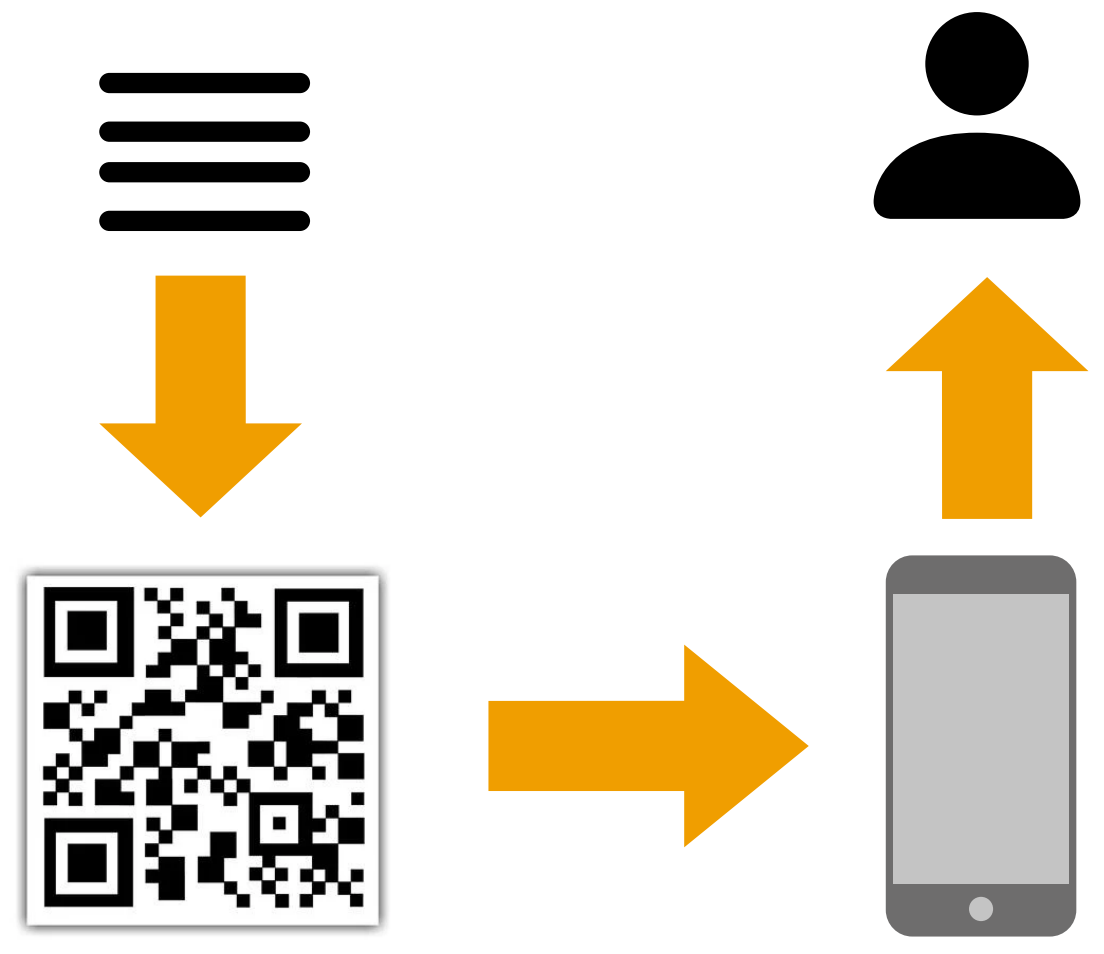
Manufacturers can easily generate their own QR codes by inputting regular text (e.g. small, red, cotton). The generated code can be embroidered on any embroidery machine which are common within the fashion industry and are also available in consumer models. With this method, we designed an easily adoptable strategy that avoids the use of large data lists of clothing characteristics.
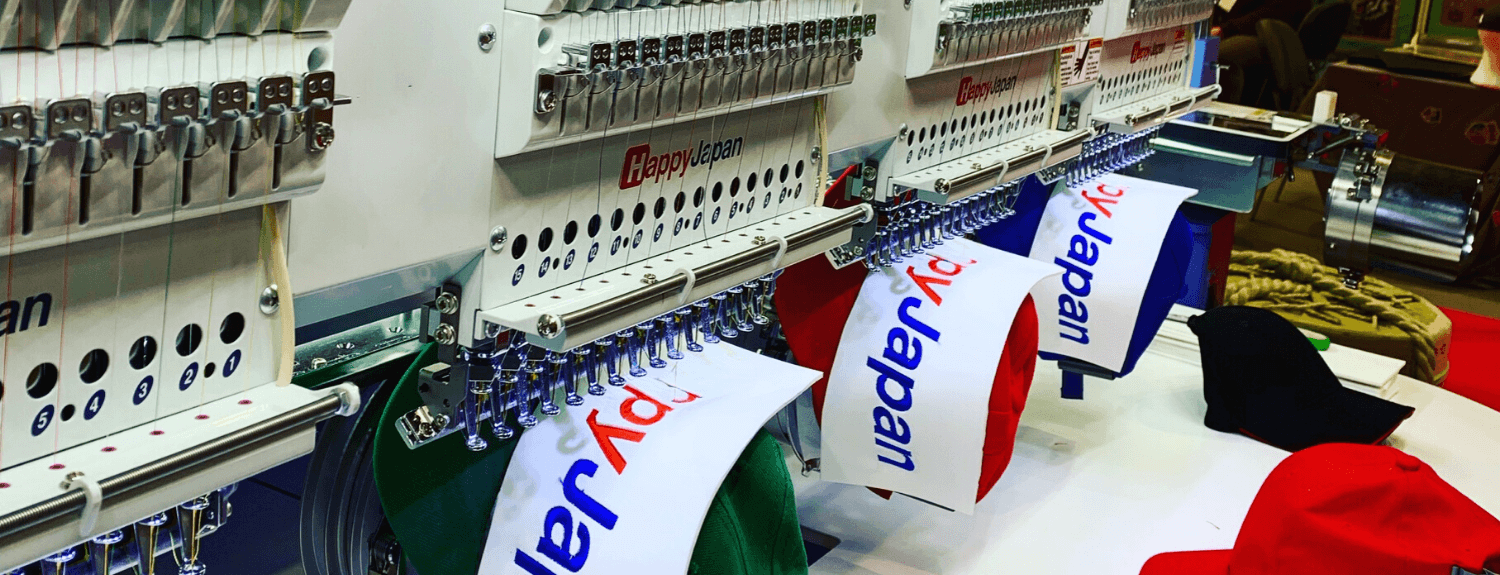
Source: Midwestern Machinery Ltd.
Closet is a system that encourages clothing manufacturers to practice accessible design and places assistive tools at the fingertips of users.
With characteristics and care information all in one place, people of all visual abilities can access accurate information about their clothing